
Statistics Dashboard
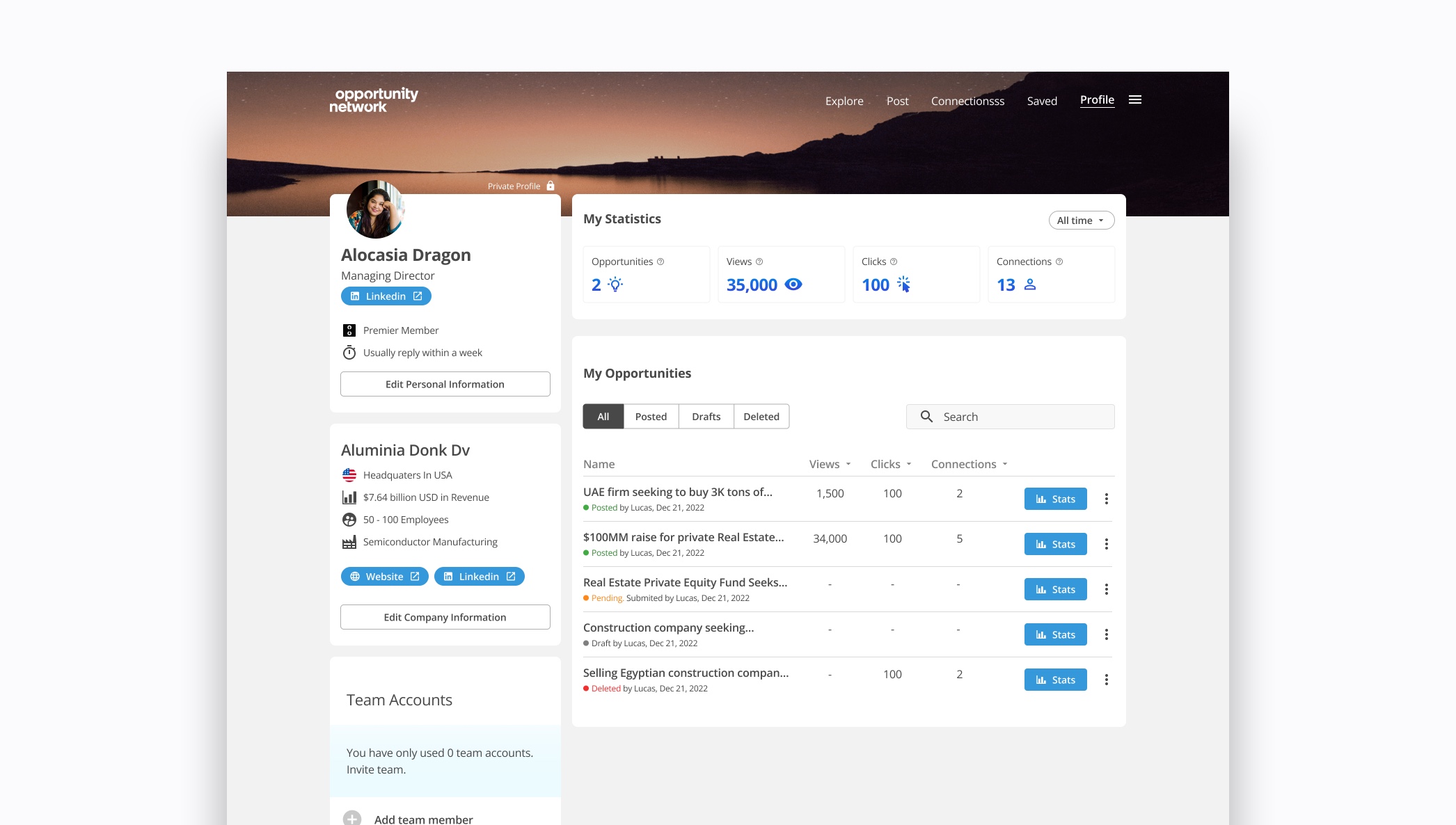
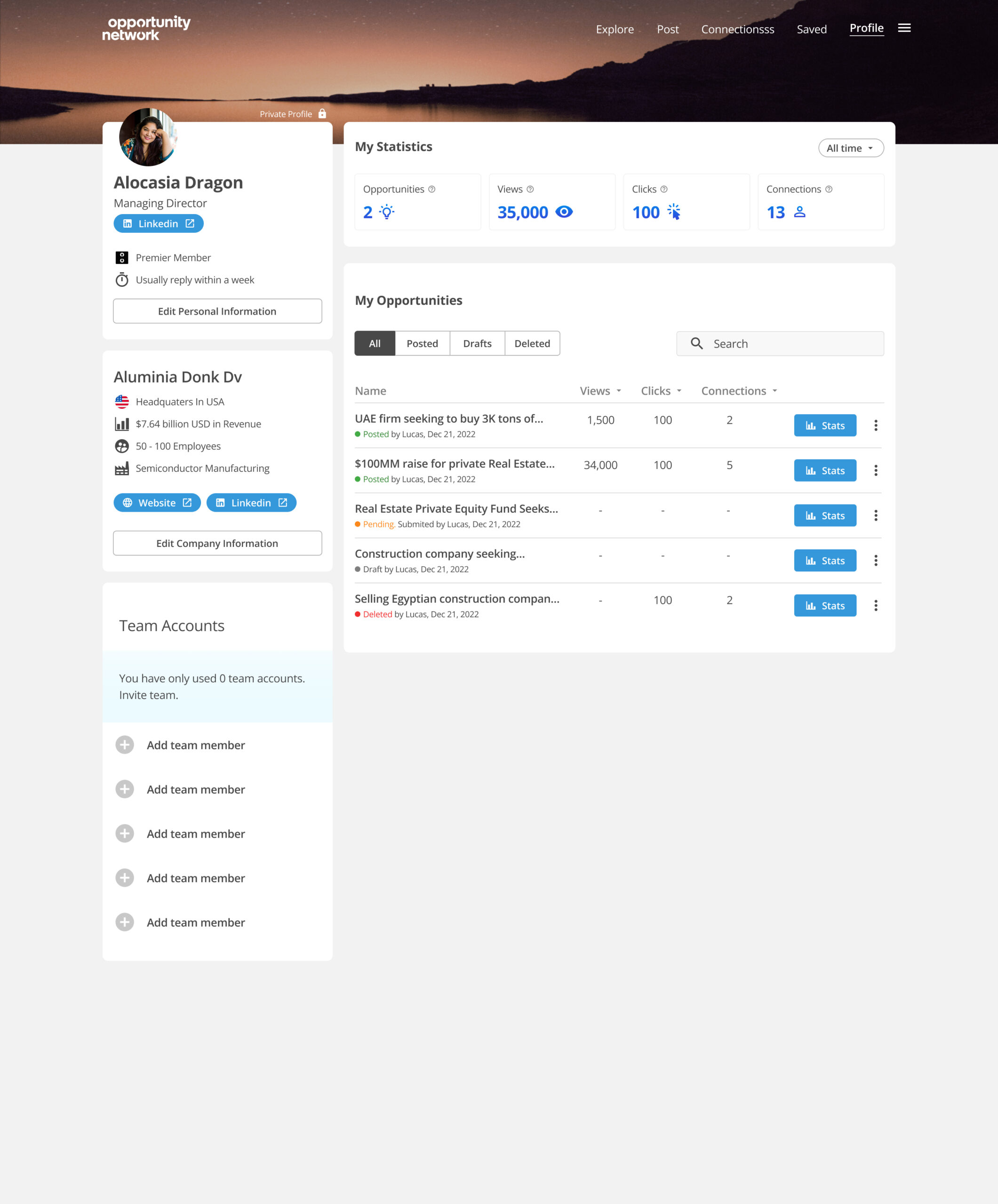
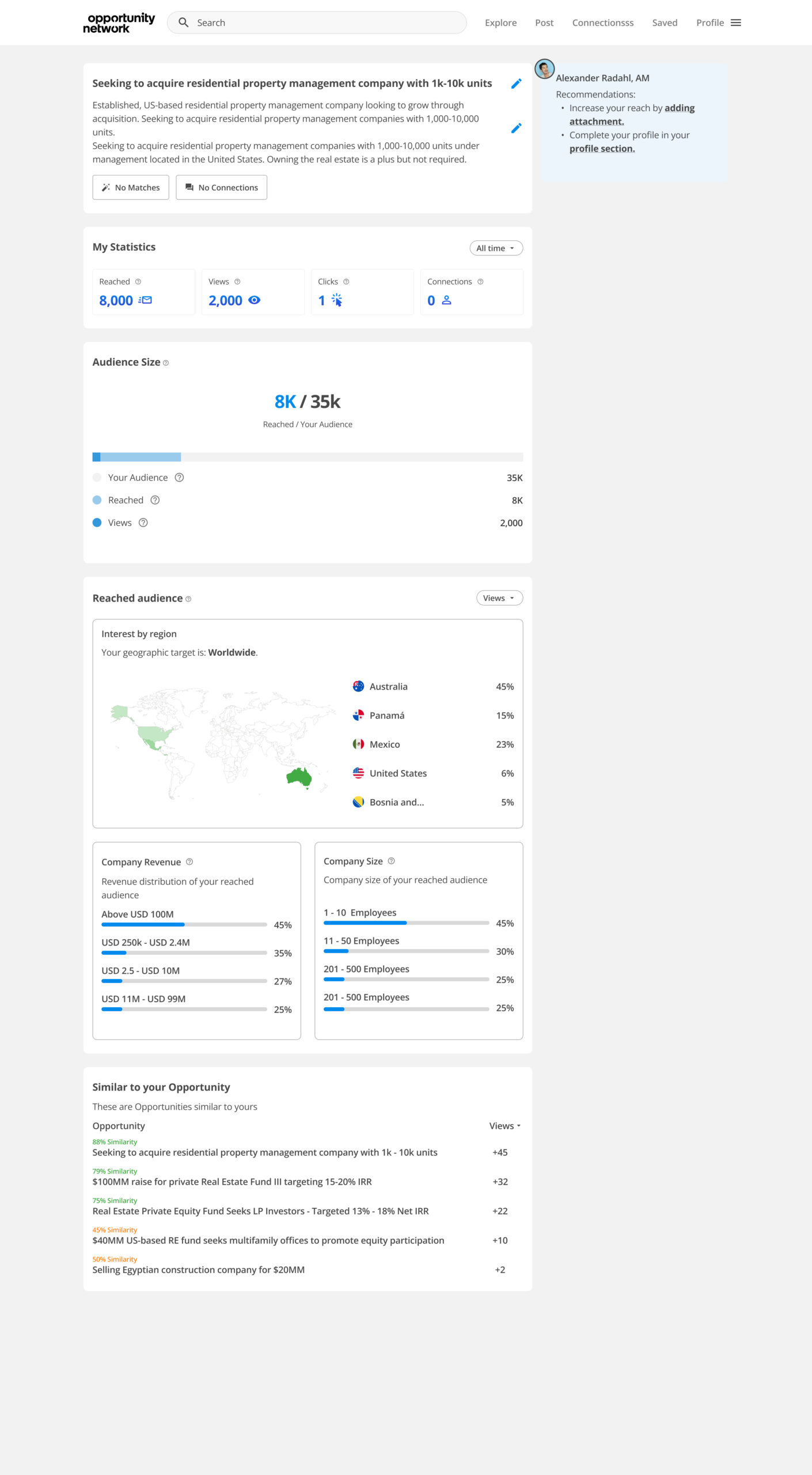
Opportunity Network approached our team to address a critical trust issue: members were frustrated by the lack of visibility into their opportunity performance and were losing faith in the platform. As the lead UX/UI designer, I took charge of designing a comprehensive statistics dashboard from concept to launch. The challenge was to create an intuitive, data-rich interface that helps members understand their audience, track opportunity performance, and prove the platform is active even before connections are made.
Role
Product Designer
Deliverables
Product Designer
Business Goal
- Reduce member churn by addressing frustration around lack of transparency
Increase platform engagement and frequency of return visits by 40%
- Build trust in the Opportunity Network brand by demonstrating platform activity
- Differentiate from competitors through superior data transparency and actionable insights
User Impact Goal
- Empower members with clear, actionable data about their opportunity performance
- Reduce confusion around data terminology and metrics by 60%
- Help users quickly understand whether their opportunities are performing well or need improvement
- Provide insights that enable members to optimize their listings and increase connection rates
Design process
I focused on creating a data visualization system that transforms complex analytics into clear, actionable insights. The design balances comprehensive data with simplicity, ensuring users of all technical levels can understand their performance and make informed decisions. Let's walk through it:
01/ Research & Ideation
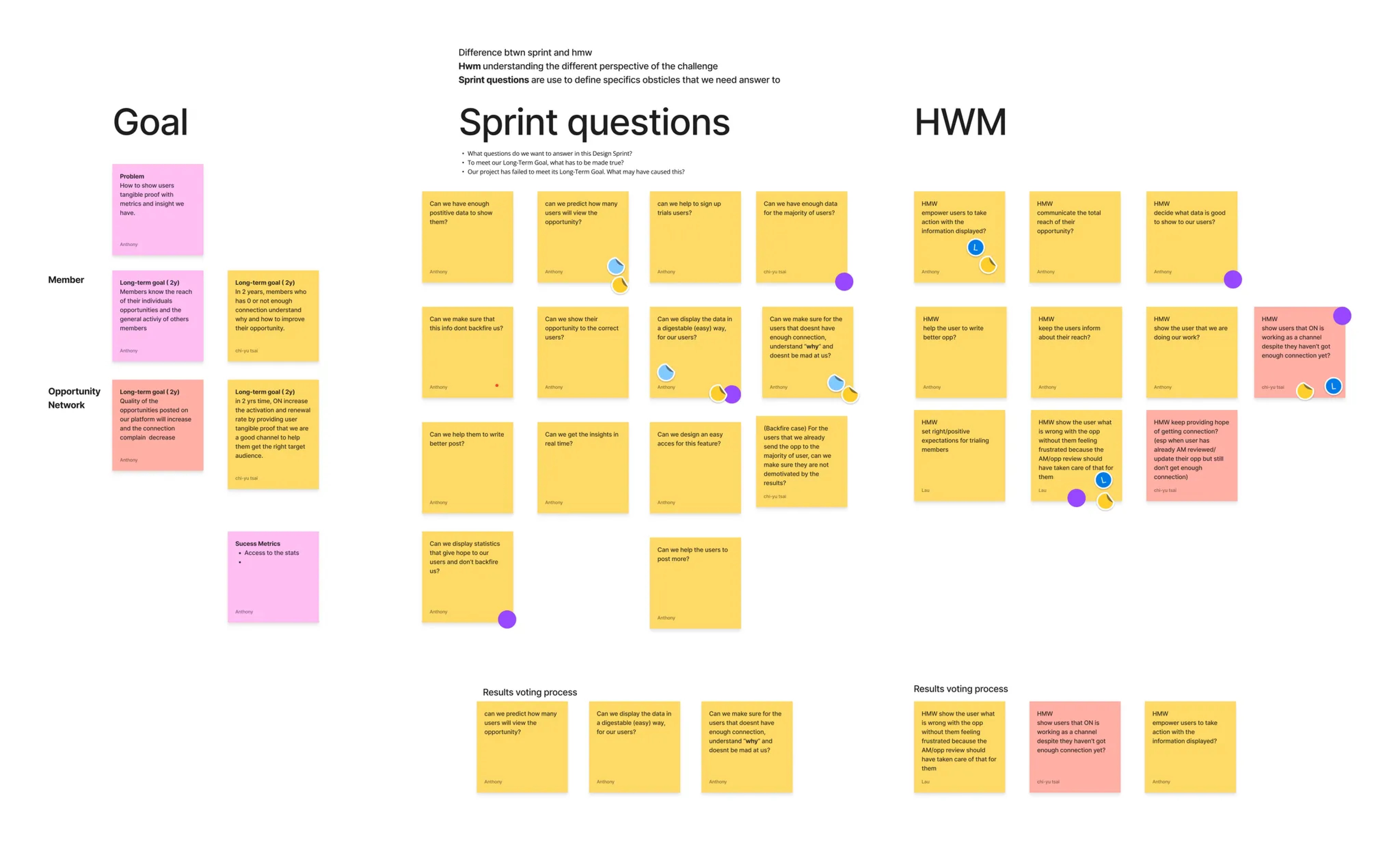
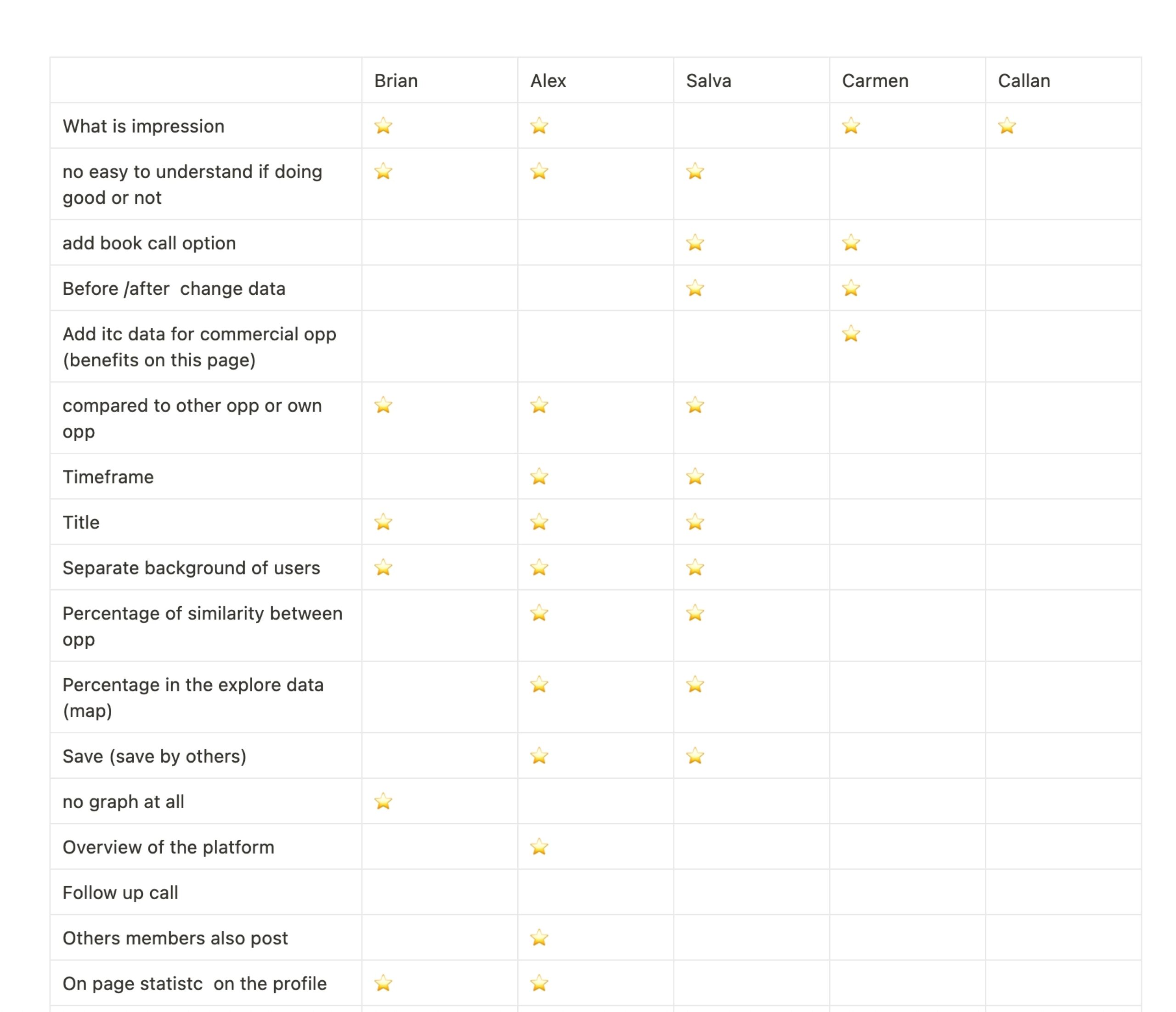
- Interviewed 12 active users to understand what data would help them improve their opportunities
- Conducted internal interviews with 8 account managers who reported recurring member complaints about "black box" platform behavior
- Collaborated with tech team to identify available data points and tracking capabilities
- Competitive analysis of LinkedIn Analytics, AngelList insights, and B2B platform dashboards
- Created low-fidelity prototype and tested with 5 users to validate initial assumptions
03/ Wireframes
- Developed low-fidelity wireframes focusing on hierarchical data presentation
- Created three-tier information structure:
Tier 1 (Above the fold): Performance health score, total views, connection attempts
Tier 2 (Scroll): Audience demographics, view trends over time, comparison to similar opportunities
Tier 3 (Deep dive): Detailed breakdown by source, device, geographic data, optimization tips - Designed modular card system allowing users to customize their dashboard view
- Established clear visual hierarchy using size, color, and positioning to guide attention to actionable insights
05/ Final Designs
- Performance Overview Dashboard: At a glance health score, total views, connection attempts, and trend indicators
- Audience Insights Panel: Demographics breakdown (industry, company size, location) showing who is viewing
- Time Based Analytics: Interactive charts showing views over 7/30/90 day periods with peak activity highlighting
- Benchmarking Feature: Anonymous comparison to similar opportunities ("Your opportunity is performing 20% better than average")
- Actionable Recommendations: Context-specific tips based on performance data ("Add more details to increase engagement")
02/ Flow Mapping
- Mapped the opportunity creator journey: Post → Wait → Wonder → Check → Optimize (or give up)
- Identified critical anxiety points: 24-48 hours after posting with no visible activity
- Created two primary user flows:
Quick check-in (mobile): "How am I doing?" → At-a-glance metrics
Deep dive analysis (desktop): "Why isn't this working?" → Detailed breakdown + recommendations - Integrated contextual help tooltips for every metric to reduce confusion
- Designed "performance health" indicators (green/yellow/red) for instant comprehension
04/ Concept Designs
- Created intuitive data visualizations: line charts for trends, bar graphs for comparisons, donut charts for demographics
- Implemented traffic light system (green = good, yellow = moderate, red = needs attention) for instant performance assessment
- Designed plain-language labels replacing jargon: "People who saw your opportunity" instead of "Impressions"
- Developed "Insight Cards" with specific recommendations: "Add a company logo to increase views by 35%"
- Micro-interactions: Hover states revealing additional context, smooth transitions between time ranges
06/ Implementation & Growth
- Phased rollout to 20% of users initially to gather feedback and monitor performance
- Conducted usability testing with 5 participants on interactive prototypes, iterating based on feedback
- Key iteration: Added "performance health" emoji indicators (😊/😐/😟) after users requested even simpler status indicators
- Close collaboration with development team to ensure accurate data tracking and real-time updates
- A/B tested two versions of recommendation language: directive ("Add a photo") vs. suggestive ("Consider adding a photo") directive performed 28% better
- Created onboarding tour for first-time users explaining key metrics and how to use the dashboard
Next Steps
Phase 2: Predictive analytics showing projected performance based on current trends and market conditions.
Phase 3: A/B testing tools allowing users to test different opportunity titles, descriptions, or images.
Phase 4: Competitor benchmarking (anonymous, aggregated) showing how opportunities compare within specific industries
Continuous monitoring: Monthly user feedback sessions to identify new data needs and pain points
Learning
Transparency builds trust, but only when data is understandable and actionable. The biggest challenge wasn't collecting the data; it was translating complex analytics into plain language that empowers users to take action. By replacing industry jargon with clear explanations, adding visual health indicators, and providing specific recommendations, we transformed a source of frustration into a competitive advantage. The key insight: users don't just want to see data, they want to know what to do about it.